


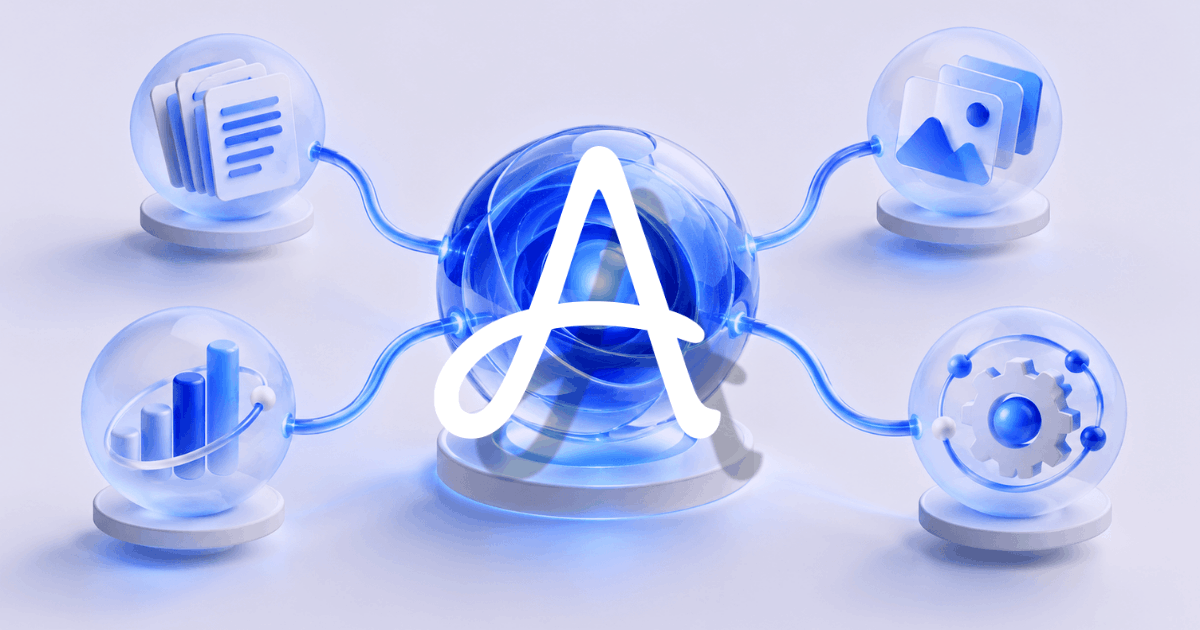
An AI orchestrator is the coordination layer that decides how models, tools, data sources, software agents and human reviewers work together to complete a goal. It manages the flow of work: what runs next, what context each step receives, when to retry and when a person must take over.
Think of it as a conductor for an AI workflow. The conductor does not play every instrument. Instead, it keeps the participants in the right order, at the right time and within agreed limits.
An orchestrator can coordinate one agent using several tools or a group of specialized agents. It can be partly rules-based, partly model-driven or a combination of both. The right design is usually the simplest one that completes the task reliably.
What does an AI orchestrator do?
An orchestrator turns a broad request into controlled steps. Depending on the system, it may:
- interpret the user’s goal and identify the work required
- route each task to the right model, agent, API or database
- pass relevant context between steps
- run independent tasks at the same time
- check outputs before allowing the workflow to continue
- track progress, errors, costs and time limits
- pause for human approval before a sensitive action
- combine partial results into one final response
The orchestrator is not necessarily another large language model. Some orchestration decisions are better expressed as ordinary software rules. For example, code can require approval before a payment is issued, while a model can decide which permitted research tool is most useful for an unfamiliar question.
AI orchestrator vs AI agent vs automation
These terms overlap, but they describe different responsibilities.
| Component | Main job | Typical decision style |
|---|---|---|
| AI orchestrator | Coordinates the overall workflow and its participants | Rules, model decisions or both |
| AI agent | Pursues a goal and selects permitted actions within its role | Model-directed, within application controls |
| Fixed automation | Repeats a predefined sequence | Deterministic rules written in code |
A single AI agent can use tools and work through several steps without a separate multi-agent architecture. An orchestrator becomes more useful when the application needs explicit routing, shared state, parallel work, specialist roles or approval gates.
Traditional automation still matters. If every input follows the same path, a fixed workflow is easier to test and maintain. Adding model-based routing to a predictable process can increase cost and make failures harder to reproduce.
How an AI orchestrator works
Suppose a small business wants a system that prepares a weekly market briefing. A request such as “Summarize the most important developments for our product team” is too broad to send directly to several tools without coordination.
The orchestrator could run the following AI workflow:
- Plan the assignment. Convert the goal into research, verification, summarization and review tasks.
- Select workers. Send product documentation to one retrieval tool, recent announcements to another source and competitor information to a separate research agent.
- Control access. Give each worker only the data and actions required for its task.
- Track state. Record which searches ran, which sources were used and which questions remain unresolved.
- Validate results. Reject unsupported claims, duplicate findings or outputs that do not match the requested format.
- Request review. Pause if the briefing includes sensitive information or if evidence conflicts.
- Assemble the answer. Combine the accepted findings into one briefing with clear source notes.
The language model may help plan or route the work, but application code should enforce permissions, budgets and stopping conditions. If a tool fails, the system needs a defined response, such as retrying once, choosing an approved alternative or returning the incomplete result for review.
Common orchestration patterns
Different jobs need different coordination patterns. A workflow may combine several of them.
Sequential workflow
Each step uses the result of the previous step. A research agent gathers evidence, a second step checks it and a third step writes the final summary. This works well when tasks have clear dependencies.
Routing or handoff
The system sends the request to the most appropriate specialist. A support triage agent might route billing questions to one agent and technical problems to another. A handoff can transfer control, while a manager-style orchestrator can keep control and call specialists as bounded helpers.
Parallel workflow
Independent tasks run at the same time, then the orchestrator combines their outputs. For example, several agents could examine different documents or evaluate separate options. Parallel work can reduce waiting time, but it needs clear rules for merging results and resolving conflicts.
Manager and workers
A manager breaks a changing problem into subtasks, assigns workers and evaluates what comes back. This is useful when the necessary steps cannot be fully predicted at the start. It also creates more opportunities for loops, inconsistent results and unexpected costs, so limits are essential.
Human approval
The workflow pauses before an irreversible or high-impact action. A person can approve the exact email, purchase, code change or record update rather than giving the system broad permission in advance.
Where a personal AI bot fits
A personal AI bot can use orchestration even when it has only one visible assistant. The bot might read a calendar, search notes, draft an email and create a proposed task. Behind that simple interface, an orchestrator controls which connector can run, what context it receives and whether the user must approve a change.
This does not mean every personal assistant needs multiple agents. One focused agent with a few carefully designed tools is often enough. Separate specialists make sense when they need genuinely different instructions, data access or safety rules.
When is AI orchestration useful?
An orchestrator is most useful when a task has several changing steps and those steps need coordination. Good candidates often include:
- research that draws from several approved sources
- customer support that requires routing and account lookups
- document processing with extraction, validation and review
- software workflows that inspect code, run tests and propose changes
- business processes that require approvals or audit trails
Do not choose multi-agent orchestration only because it sounds more advanced. Start with a direct model call for a simple generation task, a fixed workflow for predictable rules or one agent for a narrow tool-using job. Add orchestration when tests show a real need for specialization or coordination.
Benefits and tradeoffs
The main benefit is separation of responsibilities. Each worker can have a focused role, limited permissions and a testable output. The orchestrator can reuse those capabilities in different workflows and expose one consistent experience to the user.
The tradeoff is additional complexity. More steps can mean more model calls, higher cost, longer response times and more failure points. Passing too much context between workers can waste tokens or expose information that a specialist does not need. Dynamic routing can also produce different paths for similar requests.
Good orchestration makes these choices visible. It records which component acted, which inputs it received, what it returned and why the workflow stopped or escalated.
Safety and reliability checklist
An orchestrator should be treated as control software, not as a guarantee that every AI output is correct. Useful safeguards include:
- Least privilege: give every tool and agent only the access it needs.
- Explicit contracts: define accepted inputs, expected outputs and failure conditions.
- State boundaries: decide what context can be shared and how long it is retained.
- Limits: cap steps, tool calls, elapsed time and spending.
- Validation: check important outputs against authoritative sources or deterministic rules.
- Human control: require approval for sensitive or difficult-to-reverse actions.
- Observability: log routing, tool errors and outcomes without collecting unnecessary personal data.
- Recovery: design retries to avoid duplicate emails, payments or record changes.
If agents need to communicate across different systems, a protocol can standardize that exchange. The site’s guide to the Agent-to-Agent protocol provides a related introduction. Communication alone does not replace orchestration because the application still needs to decide who participates, what each participant may do and how results are accepted.
Frequently asked questions
Is an AI orchestrator the same as a large language model?
No. A language model can help an orchestrator plan or route tasks, but the orchestrator is the wider control layer. It can also include ordinary code, workflow state, permissions, validation, retries and human approval.
Does an AI orchestrator require multiple agents?
No. It can coordinate one agent, several tools and a human reviewer. Multi-agent designs are useful when specialist roles provide a clear benefit, not as a default requirement.
Can an AI workflow be fully automated?
Yes, for appropriately limited and tested tasks. High-impact actions may still need a human checkpoint. The right level of automation depends on the consequences of an error, the quality of available evidence and how easily an action can be reversed.
What is the simplest way to start?
Choose one narrow outcome, define the allowed tools and build a short workflow with a clear stopping rule. Test normal cases, missing information, tool failures and unsafe requests before adding more agents or autonomy.
